Ollama
Run Open AI Models on Your Own Machine
FreeAPI
A free, Apache-licensed desktop app running open models on your machine, with cloud models when you want them. No account, no subscription.
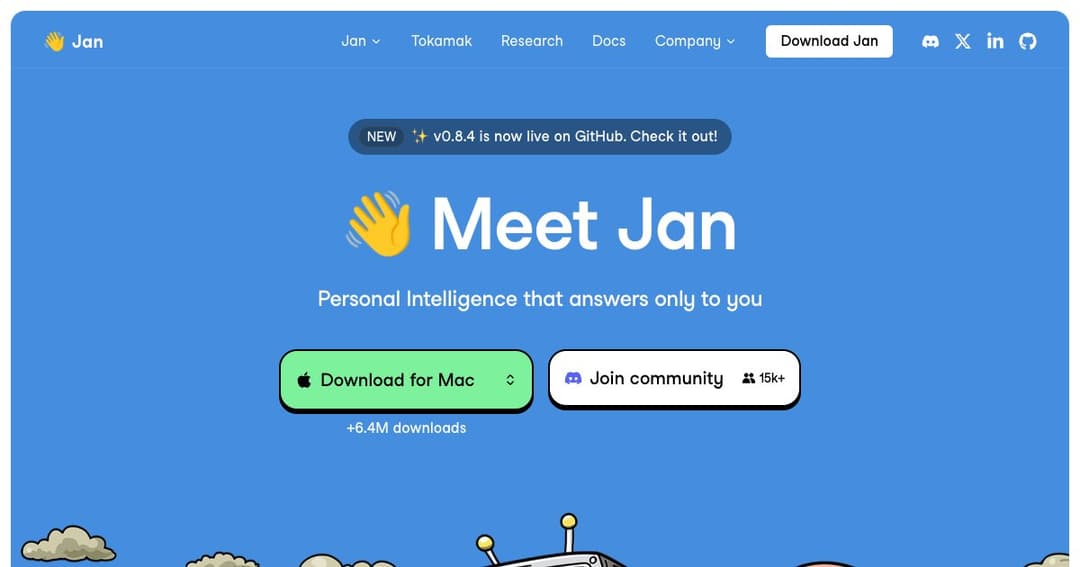
Jan is a desktop application that looks and works like ChatGPT and runs on your own computer. It downloads open models from Hugging Face, keeps your conversations on your disk, and will also talk to OpenAI, Anthropic, Mistral or Groq if you give it a key. The project's own description — personal intelligence that answers only to you — is unusually accurate marketing.
What separates it from most privacy-first AI tools is that it is not purist about it. Plenty of local-AI projects treat using a cloud model as a betrayal of the premise. Jan treats it as a setting. You can run everything offline, run everything through a commercial API, or mix the two per conversation — and the interface does not moralise about which you chose.
It is genuinely open source under the Apache 2.0 licence, with more than 44,000 stars on GitHub and over six million downloads. That combination — permissive licence, real adoption, and a product ordinary people can use — is rarer than it sounds.
Models come from Hugging Face — Llama, Gemma, Qwen, GPT-oss and the rest — and download inside the app. Alongside them sit cloud providers you connect with your own API keys. The model picker is one list, and switching mid-project takes a click.
In practice this is how people actually work. A local model is the right tool for anything sensitive, anything repetitive, and anything you would rather not pay for by the token. A frontier model is the right tool for the hard question at the end. Making that a dropdown rather than two applications removes a small friction that turns out to matter daily.
You can build specialised assistants — a persistent instruction set and model choice saved under a name, so the thing you configured for reviewing contracts is one click away rather than a prompt you paste each time.
More significant is Model Context Protocol support, which lets Jan connect to external tools and data sources and act rather than only answer. That is the same mechanism the major AI applications now use, and having it in a free local app means agent behaviour is not gated behind a subscription.
Jan exposes a server on localhost: 1337 so other applications on your machine can use whatever model it is running. That turns the app from a chat window into a shared local resource — one place that manages your models, reachable by anything else you write.
Beyond the desktop app sit two newer pieces: Jan Agent, distributed separately to run on your own VM or container, and Tokamak, a self-hosted backend that agents connect to, providing routing, a fusion model, and governance and audit. That is a deliberate step towards organisations that want this architecture inside their own perimeter rather than individuals on laptops.
Nothing. There is no paid tier, no seat licence and no account requirement for local use. Apache 2.0 means you can also read the source, fork it, and ship it inside something commercial.
| What | Cost | Notes |
|---|---|---|
| The application | $0 | Apache 2.0, source on GitHub |
| Local models | $0 | Downloaded from Hugging Face, run on your hardware |
| Local server | $0 | localhost:1337 for other applications |
| MCP tools | $0 | Agent connections to external systems |
| Cloud models | Your provider's rates | Bring your own OpenAI, Anthropic, Mistral or Groq key |
| Jan Agent and Tokamak | Self-hosted | Run on your own VM or container |
The only bills that can arrive come from providers you connect yourself, at their published rates with no margin added. Everything else costs what your electricity costs, plus the hardware you already own or choose to buy.
If the objection to the mainstream assistants is the subscription, the sign-in, or the uncertainty about what happens to the transcript, Jan is the direct answer. It behaves the way you expect and stores the conversation on your disk.
Apache 2.0 with a public repository means a security team can read what it does rather than take a policy on trust. For some organisations that is not a preference, it is the entire procurement question.
Draft and iterate locally where volume is high and privacy matters, escalate to a frontier model for the parts that need it. Jan is one of the few applications that treats this as normal rather than as a compromise.
Jan Agent and Tokamak exist for organisations that want routing, governance and audit inside their own network. That is a very different proposition from a desktop chat app, and it is worth evaluating separately from it.
Yes. There is no paid tier and no account needed to run models locally. The source is public under Apache 2.0. Costs only appear if you connect a commercial provider with your own key, and then you pay that provider directly.
Windows, macOS as a universal build, and Linux via deb, AppImage or Arm64. It is also distributed through the Microsoft Store and Flathub.
Completely, once a model is downloaded. A connection is needed to fetch models, to use MCP tools that reach the internet, and to talk to cloud providers.
Both are desktop apps for local models. Jan is fully open source and leans towards being your everyday assistant, including cloud models on equal footing. LM Studio leans towards being a workbench for models, with a stronger hardware-aware model browser and its own agent. Jan is the better ChatGPT replacement; LM Studio is the better place to compare models.
Yes, through the local server on port 1337. Anything on your machine can send requests to whichever model Jan currently has loaded.
The same as any local AI tool. Small models run in 8–16GB of memory; anything larger wants 32GB or a dedicated GPU. If your machine is modest, connecting a cloud provider gives you a usable app while you decide whether local is worth an upgrade.
Jan is the most straightforward answer to the question of what an open-source ChatGPT would look like. It is a real application rather than a proof of concept, permissively licensed, adopted by millions, and pragmatic enough to let you use a commercial model when a commercial model is the right tool.
The trade-offs are the ones every open project carries: no support desk, features that arrive when they arrive, and a quality ceiling set by the open models it runs. Against that sits something none of the subscription assistants offer — you can read exactly what it does, and it costs nothing to find out whether it fits.