Ollama
Run Open AI Models on Your Own Machine
FreeAPI
Runs open models on your own machine: chat, an agent, offline voice transcription and a local server. Free, with optional pay-as-you-go cloud credits.
LM Studio is a desktop application for running open language models on your own computer. You install it, browse a catalogue, download a model, and start typing — no terminal, no Python environment, no configuration file. For most people it is the shortest path from curiosity about local AI to actually talking to a model.
Underneath sit llama.cpp and MLX, the two inference engines that most local AI runs on. LM Studio's contribution is the layer above them: a model browser that tells you what will fit in your memory, a chat interface, a local server behind a toggle, and now an agent called Bionic that can work with documents and code rather than only answering questions.
It has grown beyond a model launcher. The app does offline voice transcription in multiple languages, syncs across up to five devices, and can reach cloud models when a local one is not enough. The free tier covers all of the local capability, and that is not a limited version of the product — it is the product.
The model browser is the feature that quietly matters most. Every open model exists in several sizes and several quantisations, and the difference between a version that runs beautifully and one that makes your machine unusable is not obvious from the name. LM Studio inspects your hardware and tells you which builds will fit.
That single piece of guidance removes the most common first failure with local AI: downloading something enormous, watching it crawl, and concluding that local models are useless. They are not useless — you picked the wrong one, and nothing in a filename was going to tell you.
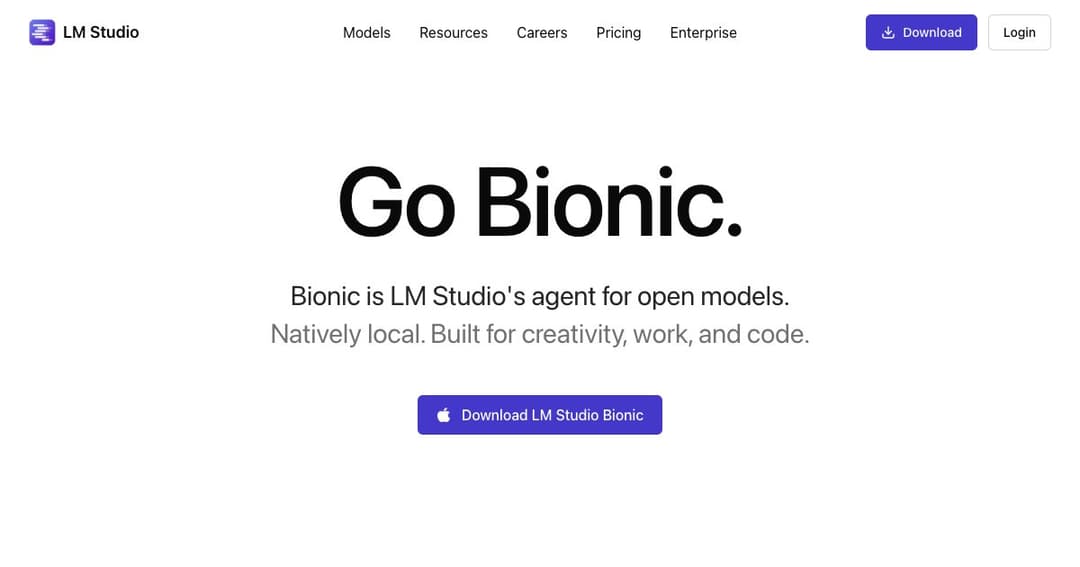
Bionic is LM Studio's agent for open models. Rather than only replying in a chat window, it creates and edits documents with saving handled for it, works on code, and can drive the computer. It is aimed at the same shift happening everywhere in this field: from a model that answers to a model that does.
The interesting part is that this is aimed at open models rather than frontier ones. An agent needs to run many steps, and many steps against a metered API is the fastest way to an unpleasant invoice. Running the loop locally changes that arithmetic completely — the marginal cost of the tenth attempt is zero.
Behind the app is a server you start with lms server start, exposing OpenAI-compatible endpoints for chat completions and embeddings. There are official SDKs for TypeScript and Python, a CLI for managing models and the daemon, and bearer-token authentication on the REST API — an unusual and welcome detail, since most local servers are wide open to anything on the machine.
This is what makes LM Studio more than a consumer app. The same install serves someone who wants a chat window and someone who wants a programmable endpoint, and neither has to care that the other exists.
The local application is free, and the free tier is unusually complete. Money only enters when you reach for cloud models.
| What | Price | Notes |
|---|---|---|
| The app and local models | $0 | llama.cpp and MLX, nothing leaves the device |
| Bionic agent | $0 | Included on the free tier |
| Offline voice transcription | $0 | Processed locally, multiple languages |
| Web search tool | $0 | Zero data retention when signed in |
| LM Link | $0 | Sync across up to 5 devices |
| Cloud: DeepSeek V4 Flash | $0.13 in / $0.26 out | Per million tokens |
| Cloud: GLM-5.3-Flash | $0.15 in / $0.50 out | Per million tokens |
| Cloud: DeepSeek V4 Pro | $1.74 in / $3.48 out | Per million tokens |
| Cloud: Kimi K3 | $3.00 in / $15.00 out | Per million tokens |
| Bionic Pass | Not yet announced | Company says details are coming |
There is no subscription to run models locally and no seat licence to read about. Cloud usage is bought as credits and priced per million tokens, with zero data retention stated across the cloud services. The gap between the cheapest and most expensive listed model is more than twenty-fold on output, so model choice is the whole cost conversation.
As with any local tool, the actual expense is hardware. Sixteen gigabytes of memory runs small models pleasantly; thirty-two or more opens up the sizes people mean when they say a local model felt genuinely useful.
This is the recommendation to give someone who has heard that models can run on a laptop and wants to see it. Install, download a suggested model, type. Fifteen minutes, no terminal, and the hardware guidance stops them picking something that will disappoint.
Contracts, patient notes, unreleased financials, internal incident reports. Local processing is not a privacy policy you have to trust — it is an architectural fact, and the offline transcription extends that to recordings of meetings.
An interface for exploring how a model behaves and an OpenAI-compatible endpoint for building against it, in one install. Being able to see a conversation and then reproduce it through the SDK shortens the loop noticeably.
Long chains of tool calls, retries, and self-correction burn tokens. Running that loop against local weights removes the meter, which changes what you are willing to let an agent attempt.
Yes for everything local — the app, the models, the Bionic agent, offline transcription and syncing across five devices. You pay only for cloud model usage, bought as credits and priced per million tokens.
Windows, macOS and Linux, with install scripts for each. Apple Silicon is particularly well served because MLX targets it directly and memory is shared with the GPU.
Once models are downloaded, yes. Chat, transcription and the local server all run offline. You need a connection to fetch models, use web search or reach cloud models.
Ollama is a command-line tool and a server; LM Studio is an application you look at. If your goal is to use a model yourself, LM Studio is the better starting point. If your goal is to have software call a model, Ollama is the leaner choice. They coexist happily on one machine.
Largely yes. Start the server, point your base URL at it and use the OpenAI-compatible chat and embeddings endpoints. Note that the REST API expects a bearer token, so it is not quite as open as some local servers.
Small models are comfortable in 8–16GB. Thirty-two gigabytes or a dedicated GPU is where local models stop feeling like a demonstration. The model browser will tell you what your specific machine can handle, which is more useful than any general rule.
LM Studio is the friendliest way into running AI on your own hardware, and it has grown into something more substantial than that description suggests. The model browser removes the mistake that puts most people off local AI, the agent makes open models useful for work rather than just conversation, and the server means the same install serves developers.
Judge it on the free tier, because that is the honest product: complete local capability, no subscription, nothing leaving the machine. The cloud credits are there when a local model is not enough, and the main discipline required is remembering that you have crossed a line when you use them.