LM Studio
Run AI Models Locally on Your Desktop
FreeAPI
The standard way to run open models locally: one command, an API on port 11434, nothing leaving your machine. Local use is free and unlimited.
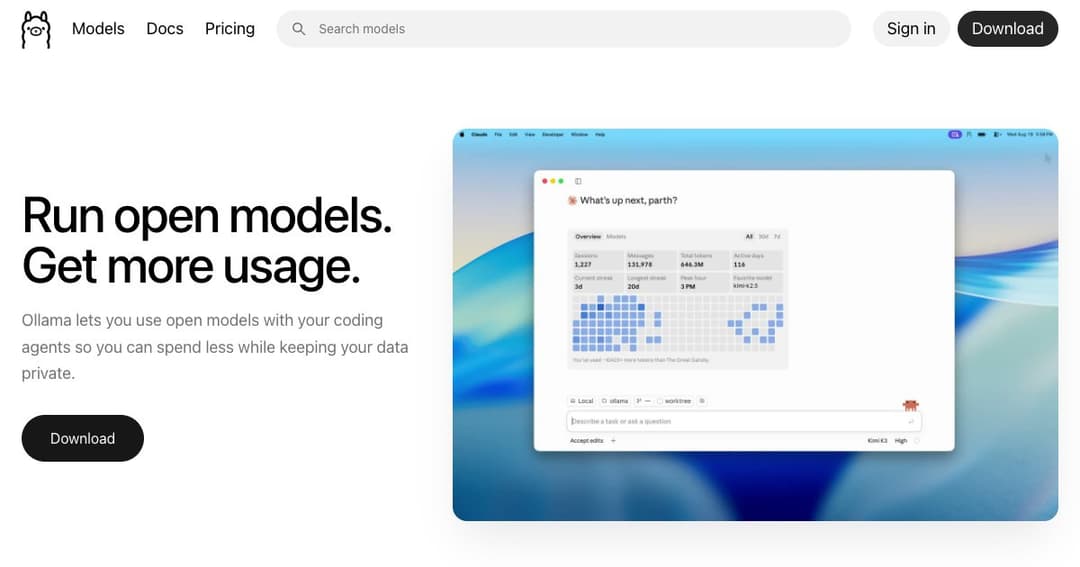
Ollama runs open language models on your own computer. You type one command, it downloads the model and starts serving it, and from that moment the model is a local program like any other — no account required for the local part, no request leaving the machine, no bill that grows with how much you use it.
The comparison people reach for is Docker, and it holds up. Before Ollama, running an open model meant choosing a quantisation format, compiling an inference engine, finding weights, and writing your own loop. Ollama collapsed that into ollama run and made the resulting thing addressable over HTTP. It did not invent local inference; it made local inference boring, which is what a technology needs before ordinary people will use it.
Since then it has grown a desktop app, a model library covering chat, coding, vision, embeddings and reasoning, and — more contentiously — a hosted cloud tier for models too large to fit on a laptop. The local half remains free and unlimited. That distinction is the single most important thing to understand about the product today.
Running a model is a single line in a terminal. What happens next is the part that matters: Ollama starts a server on port 11434 and keeps it there. Anything on your machine can now talk to a language model over plain HTTP, which is why so much software has quietly grown Ollama support — the integration is a base URL, not a partnership.
There is also an OpenAI-compatible layer at localhost: 11434/v1, covering chat completions, completions, models, embeddings and the Responses API. An API key is required and ignored; you can pass the word ollama. In practice this means most applications written against OpenAI can be pointed at your own hardware by changing one line and inventing a key.
Models are pulled by name from a curated library, with quantisation handled for you. This is genuinely valuable and slightly dangerous: the convenience hides the choice between a small fast model that fits comfortably in memory and a large one that will make your laptop unusable. The library will happily let you pull something your machine cannot run well.
Behaviour is customised through a Modelfile — a short text file that pins a system prompt and parameters to a named model, so a configured assistant can be shared as a file rather than as instructions. The company also cites more than 40,000 community integrations, which is less a feature than evidence of what happens when the interface is just a port number.
Ollama now hosts large open models — the current line-up includes frontier open weights that no consumer machine can hold — in the US, Europe and Singapore. You switch between local and cloud by changing the model name, which keeps your code identical whichever side is answering.
For a project built on local-first principles, this is a real tension, and it is worth naming plainly rather than pretending otherwise. Ollama's position is that local stays free and unlimited forever, and cloud data is not used for training. That is a reasonable arrangement. It is still a change in what the tool is, and anyone adopting it for privacy reasons should be deliberate about which half they are using.
Running models on your own hardware is unlimited on every plan, including the free one. Everything in the table below is about cloud usage.
| Plan | Price | Cloud usage | Concurrent models |
|---|---|---|---|
| Free | $0 | Light | 1 |
| Pro | $20/mo, or $200 billed annually | 50× Free | 3 |
| Max | $100/mo (new signups paused) | 5× Pro | 10 |
| Team | $25 per seat/mo, 5 seats minimum | Shared | — |
| Enterprise | Custom | Negotiated | — |
The free plan is not a trial. It includes the CLI, the API, the desktop apps, unlimited public models and unlimited local inference — for a great many people it is the whole product, permanently. Pro exists for those who want to reach models their hardware cannot hold, and $200 a year works out to roughly $16.67 a month.
The real cost of running locally is not on this page. It is the machine. A laptop with 16GB of unified memory handles small models comfortably and struggles above that; serious local work means 32GB or more, or a dedicated GPU. That is a one-off purchase rather than a subscription, which suits some budgets and not others.
If you are building something that calls a language model, having one on localhost changes how you work. No keys in development, no rate limits while you iterate, no bill for the four hundred requests you sent because of a loop bug.
Legal, medical and internal-security work where the text simply cannot leave the building. Local inference is the only honest answer to that constraint, and Ollama is the least painful route to it.
Swapping between a 3B and a 70B model on the same prompt teaches more about what these systems actually do than any amount of reading. Doing that against a metered API is expensive; doing it locally costs electricity.
Classifying a mail folder, summarising logs, tagging documents on a schedule — jobs where the volume is high and the difficulty is low. Per-token pricing punishes exactly this shape of work, and a local model does it for free.
Yes, for local use, permanently and without limits. The paid plans buy access to cloud-hosted models that are too large for personal hardware, plus more concurrent models. If you only ever run models on your own machine, you will never see a bill.
Small models run on a modern laptop with 8–16GB of memory. Mid-sized models want 32GB or a dedicated GPU. Apple Silicon does unusually well here because memory is shared with the GPU, which is why so many local-AI conversations happen on Macs.
Once a model is downloaded, completely. That is the point. You need a connection to pull models, to use cloud models and to update — nothing else.
Usually yes. Point the base URL at localhost: 11434/v1, pass any string as the API key, and change the model name. Chat completions, embeddings and the Responses API are covered; check the compatibility notes if you rely on anything unusual.
Ollama is a command and a server; LM Studio is a desktop application with a chat interface, a model browser and a server behind a toggle. If you want to talk to a model, start with LM Studio. If you want software to talk to a model, start with Ollama. Plenty of people run both.
For local models, nothing leaves the machine — this is a property of how it works, not a policy that could change. For cloud models the company states data is not used for training and is hosted in the US, Europe or Singapore. Those are two different privacy stories and worth keeping separate in your head.
Ollama is the piece of plumbing that made local AI ordinary. Its achievement is not technical brilliance but the removal of friction: a command anyone can type, a port anything can call, and a library that hides quantisation from people who should not have to care about it.
The free tier is the real product and there is no catch in it. The honest caveats are the quality gap against frontier models and the fact that your machine sets a ceiling no subscription can lift. If you are technical, curious, or bound by rules about where data may travel, install it — the cost of finding out is an evening.