Claude Code
Anthropic's Agentic Coding Tool for Terminal and IDE
An editor where the AI writes across your whole codebase, not just the open file. Free tier, Pro at $20/month, and its own Composer model alongside frontier ones.
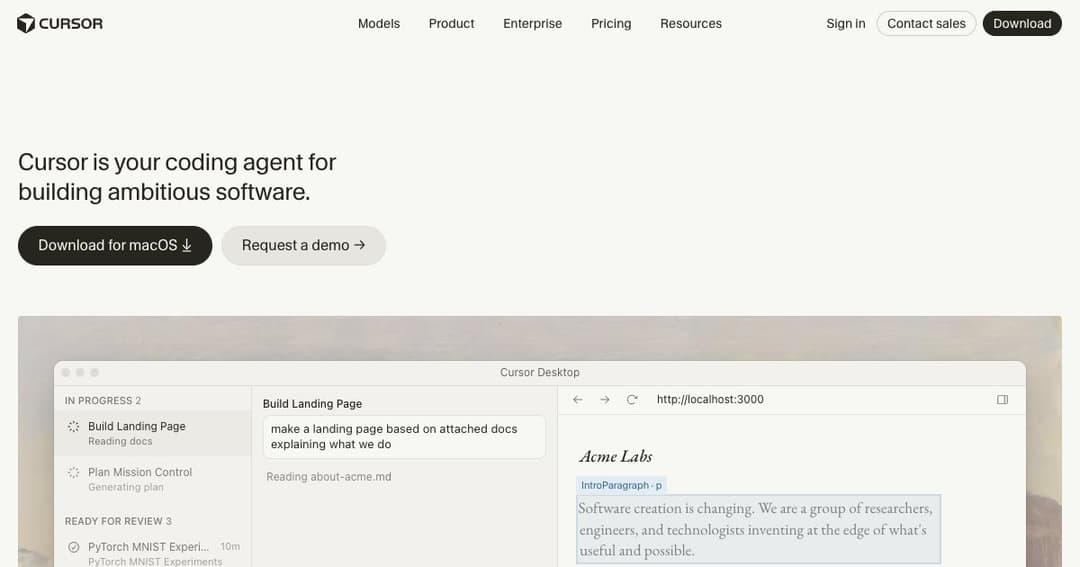
Cursor is a code editor with AI built into its core rather than bolted on as a plugin. It is a fork of Visual Studio Code, made by Anysphere, which means your extensions, keybindings, themes and settings carry over on the first launch — the familiarity is deliberate, and it is a large part of why developers switched.
The difference from an autocomplete plugin is scope. A plugin suggests the next few lines in the file you have open. Cursor operates on the repository: it reads across files, follows imports, changes several files in one instruction, runs commands and checks its own work. You describe an outcome; it proposes a diff.
The everyday feature, and the one people miss most when they go back. It predicts your next edit rather than just the next token, including where you are about to move the cursor. Rename a variable and it offers the rest of the renames; change a signature and it walks you to the call sites. Nothing to prompt — you press Tab.
Give a task in plain language and the agent finds the relevant files, edits them, runs commands and iterates on failures. This is where an editor stops being an editor: the unit of work is a change to a project, not a line of code.
Plan mode exists for the same reason experienced engineers write a design before typing. The agent explores the codebase first and proposes an approach you can correct — cheaper than discovering on file nine that it misunderstood the architecture.
Unusually for an editor, Cursor trains its own coding model. Composer is built for long agentic runs — tasks that take hundreds of steps rather than one clever completion — and it is available on the free tier, which is the clearest sign of what the company thinks its moat is.
You are not locked to it. Cursor also routes to frontier models from OpenAI, Anthropic, Google and xAI, switchable per request, so a fiddly refactor and a quick rename can go to different models. That mix is the product's real argument: one interface, whichever model happens to be best this month.
An agent that reviews pull requests on GitHub and comments on what it finds. Useful less as a replacement for review than as a filter: the obvious problems get caught before a colleague spends attention on them. Note that on individual plans it bills on usage rather than being included.
Two features push Cursor outside the desktop app, and they matter more for teams than for solo work.
Cloud agents run on Cursor's machines rather than yours, in parallel, for long stretches — the model of work where you dispatch several tasks and come back to review diffs instead of watching a spinner. The CLI brings the same agent into a terminal or a CI pipeline, which is what makes automation possible at all.
MCP support connects the agent to outside systems — your database, your issue tracker, your documentation — so it can look things up instead of guessing. Alongside it sit skills and hooks for encoding house rules, and a marketplace for sharing them. On Teams plans that marketplace is internal, which is how a company keeps its conventions in one place.
| Plan | Price | What it is for |
|---|---|---|
| Hobby | Free | Limited agent requests, Composer access, no card required |
| Pro | $20/mo | Extended agent limits, frontier models, cloud agents, MCP |
| Pro+ | $60/mo | Same features, higher usage ceiling |
| Ultra | $200/mo | For people who run agents all day |
| Teams | $40/user/mo | Central billing, Bugbot reviews, shared rules, SSO |
| Teams Premium | $120/user/mo | Higher limits on the same team features |
| Enterprise | By request | Pooled usage, SCIM, access controls, audit logs |
The free tier is genuinely usable for evaluation — limited agent requests, but Composer included and no card required. It is enough to learn whether Tab alone changes how you work, which for many people is the whole decision.
The ladder above Pro is about volume, not features. Pro+ and Ultra buy headroom for people whose agents run continuously; if you are hitting limits on Pro, the fix is a bigger plan rather than a different product. Teams adds the things an organisation needs and an individual does not: SSO, centralised billing, usage analytics, team-wide privacy mode, and an internal marketplace for shared rules.
The bigger the repository, the larger the gap between Cursor and a file-scoped assistant. Knowing which twelve files a change touches is the hard part of working in unfamiliar code, and that is precisely what it automates.
Mechanical, repetitive, spread across hundreds of files — the work everyone postpones. This is the clearest case where an agent earns its subscription in a single afternoon.
Shared rules and an internal marketplace mean the AI follows your conventions rather than the average of the internet. Combined with Bugbot on pull requests, that is a way of enforcing standards without adding a reviewer.
Being able to ask why a piece of code exists, in the editor, with the whole project as context, is a different experience from searching. The risk is real though — see below.
There is a free Hobby plan with limited agent requests and access to Composer, and it does not ask for a card. Pro is $20 a month; Pro+ and Ultra at $60 and $200 buy higher usage ceilings rather than new features.
Cursor is a fork of VS Code, so extensions, themes, keybindings and settings import on first launch. That compatibility is the main reason switching costs so little.
Cursor's own Composer plus frontier models from OpenAI, Anthropic, Google and xAI, selectable per request. The exact line-up changes often, so check the pricing page for what your tier includes.
Copilot is an extension inside your editor; Cursor is the editor. In practice that means repository-wide agent work, model switching and features like Plan mode and cloud agents — at a higher price, since Copilot's entry tier costs less.
By default code is processed by the model providers serving your requests. Privacy mode exists and is available team-wide on business plans; if you work under confidentiality obligations, settle this before you start.
Yes. The CLI runs the agent from a terminal or pipeline, and cloud agents run on Cursor's infrastructure in parallel, so long tasks do not occupy your machine.
Cursor is the clearest example of what changes when AI is the editor rather than a feature of it. Tab alone justifies trying it; the agent changes what a working day looks like once the codebase is bigger than one person can hold in mind. Free to evaluate, $20 to use seriously, and the switch costs almost nothing because it is VS Code underneath.
Bring judgement with you. The agent produces plausible code quickly, and reviewing it properly is now the job. Teams should settle privacy mode and shared rules before rollout rather than after, and anyone still learning should be honest about the difference between shipping code and understanding it.