Motion
Projects, Tasks, Calendar & Workflows Productivity
Notion combines docs, wikis and databases with AI agents that work across your workspace. What 3.0 changed, honest pricing, and why the AI now requires the Business plan.
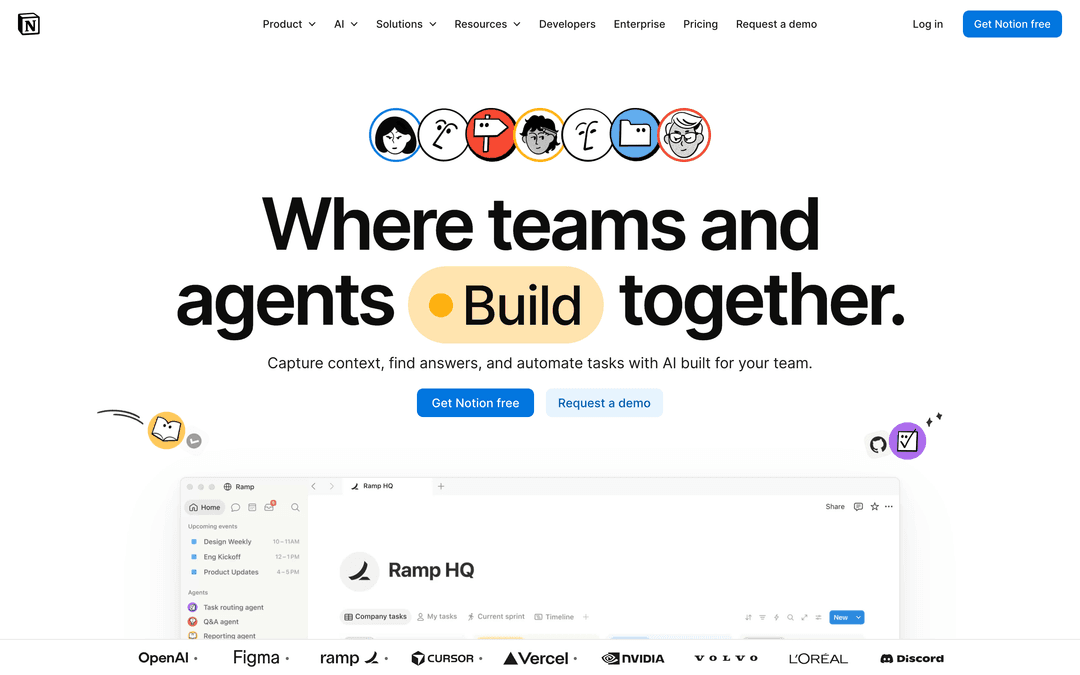
Notion is a workspace that refuses to pick a lane. It is a document editor, a wiki, a database, a project tracker and a note app in one place, and the reason people either love it or bounce off it is the same reason: it does not tell you how to work. You assemble the tool you need out of parts.
Since the 3.0 release it is also an AI product in its own right. Notion AI was rebuilt around agents that carry out multi-step work rather than an assistant that finishes your sentences — and, importantly for anyone comparing plans, the full AI feature set now lives on the Business tier instead of being sold as a separate add-on.
Everything is a block: a paragraph, an image, a toggle, an embedded database. Blocks nest inside pages, pages nest inside pages, and that recursion is the whole structural idea. It is why two Notion workspaces built for the same job rarely look alike.
A Notion database is a collection of pages with properties attached — status, owner, date, relation to another database. The same data can then be displayed as a table, board, calendar, timeline or gallery, filtered and sorted differently in each view. Most of what people call «a Notion system» is really a handful of databases pointed at each other.
Anything you build can be saved as a template or published as a page on the web. The large public template ecosystem exists because the format is portable — a well-built project tracker transfers between companies almost intact.
The 3.0 rewrite moved Notion AI from in-editor commands to agents. The older features remain — rewriting a paragraph, summarising a page, translating text — but the centre of gravity moved to systems that do work across the workspace on your behalf.
Personal Agents run autonomous multi-step tasks — researching across pages, filling a database, drafting a document from scattered notes — and can work for an extended stretch rather than answering a single prompt. Custom Agents go further: they can be shared with a team and run on a schedule, which turns them into small recurring processes rather than one-off requests.
Question answering that reads your actual workspace instead of the open internet. With connectors it also reaches into Slack, Google Drive, GitHub, Jira and other tools, so a question can be answered from a document nobody remembers filing. For most teams this is the genuinely useful AI feature, and the one that quietly justifies the plan.
Transcription and structured summaries of meetings, landing directly in the workspace where the related project already lives. The value is less the transcript than the fact that it is stored next to everything else rather than in a separate tool.
Notion does not lock you to one provider. The model picker exposes options from OpenAI, Anthropic, Google and others, plus an automatic setting that chooses for you. Practically, this matters most for agents: reasoning-heavy tasks and quick drafting reward different models, and you are not stuck with whichever one Notion happened to sign a deal with.
Notion Calendar and Notion Mail extend the same account into scheduling and email, connecting meetings and messages to the pages and databases they concern. Whether that is worth consolidating depends on how deeply your work already lives in Notion — they are competent rather than category-leading on their own.
The most common case. One workspace absorbs the wiki, the roadmap, the meeting notes and the hiring pipeline, which avoids paying for four tools before you know which ones you need.
Internal documentation that people actually read, because it sits alongside the work rather than in a separate portal. Enterprise Search is what makes a large workspace navigable instead of a landfill.
Client pages, deliverable trackers and published proposals from one account. Public page sharing means a client can read a document without being onboarded into anything.
Habit trackers, reading lists, second brains. This is where Notion's flexibility is most enjoyable and most dangerous — building the system can quietly become the hobby.
Pricing is per member, per month, and yearly billing is cheaper than monthly. The number that matters more than the price, though, is which plan unlocks the AI.
| Plan | Monthly | Annual (per month) | Notion AI | Best For |
|---|---|---|---|---|
| Free | $0 | $0 | Limited trial | Individuals, personal projects |
| Plus | $12 | $10 | Limited trial | Small teams, unlimited file uploads |
| Business | $24 | $20 | Full suite included | Teams that want the AI |
| Enterprise | Custom | Custom | Full suite + controls | Security and compliance needs |
Notion AI used to be a paid add-on you could bolt onto any plan. It is not any more: the full suite, including agents, AI Meeting Notes and Enterprise Search, is bundled into Business and Enterprise, while Free and Plus get limited trial access only.
That reframes the decision. If you want Notion for the AI, the real price is $20 per member per month on annual billing, not $10 — and for a team of five that is the difference between $600 and $1,200 a year. On the other hand, you are no longer paying for an add-on on top of a seat, so for teams that were already stacking both, the total went down.
Standard agents and Ask Notion are included with Business. Heavy Custom Agent usage is metered separately in Notion credits, sold at $10 per 1,000 credits, shared across the workspace and not rolled over month to month. It is a usage line item on top of per-seat pricing, so scheduled agents running constantly can move the bill in a way flat pricing does not.
Yes, there is a genuinely usable free plan for individuals, with unlimited pages and basic collaboration. It includes only limited trial access to Notion AI, so it works as a workspace but not as an AI tool.
Only on Business and Enterprise. Free and Plus receive limited trial access. Notion AI is no longer sold as a standalone add-on for cheaper plans.
Plus is $10 per member per month billed annually, or $12 month to month. Business is $20 annually or $24 month to month. Enterprise is custom-priced.
Agents carry out multi-step work rather than responding to a single prompt — researching across your workspace, populating databases, drafting documents. Personal Agents work for you alone; Custom Agents can be shared with a team and scheduled to run automatically.
Several. Notion offers a model picker with options from OpenAI, Anthropic, Google and others, plus an automatic mode that selects one for you, so you can match the model to the task instead of being tied to a single provider.
Notion states that customer content is not used to train its models, and the Enterprise plan adds zero data retention with the underlying LLM providers. For regulated environments, that last point is usually the deciding detail.
For small and mid-sized teams, yes — databases with board, timeline and calendar views cover most of what is needed. Teams that depend on heavy resource planning, dependency management or reporting generally find purpose-built tools less frustrating.
Notion remains the most flexible workspace available, and 3.0 turned its AI from a writing helper into something that does work across a body of knowledge. Ask Notion and Enterprise Search, in particular, get more valuable the messier your workspace is — which is exactly when most tools get less useful.
Two things decide whether it fits. First, whether your team will invest the setup effort that flexibility demands. Second, whether the AI is the point — because if it is, you are buying the Business plan at $20 per member, and that is the number to compare against alternatives rather than the $10 headline.