Ebi AI
EBI.AI: AI Customer Assistants to Boost Service and Cut Costs
Free
EnhanceAI lets you integrate GPT-powered autocomplete into forms, surveys, and text inputs with just 2 lines of code. Works with all major no-code tools.
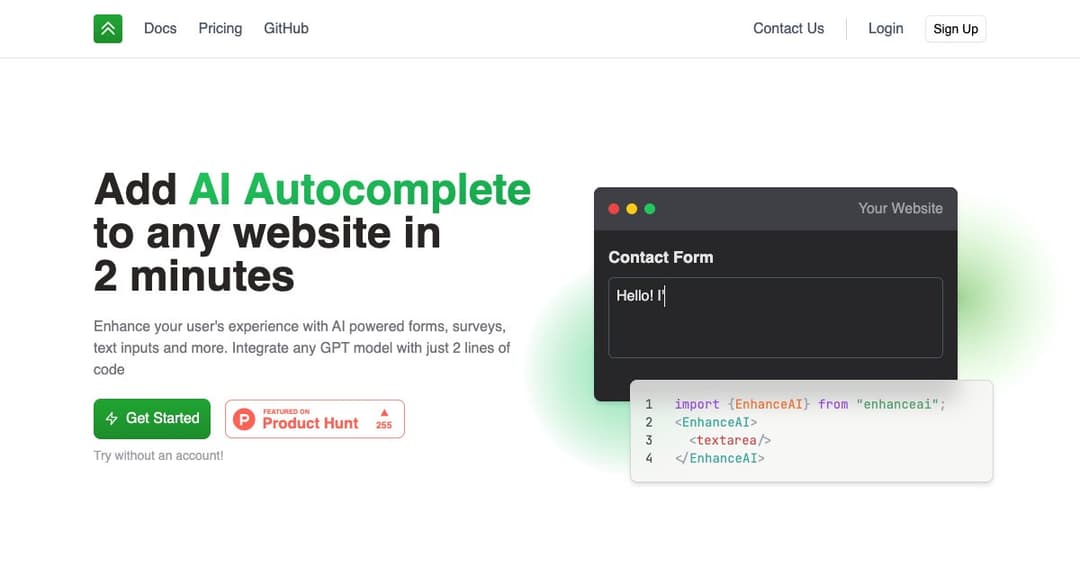
EnhanceAI makes it incredibly simple to integrate AI-powered autocomplete features into your website. Whether you're using a no-code platform or building from scratch, you can add intelligent form enhancements in less than two minutes. EnhanceAI supports GPT-4 and other OpenAI models to deliver smart, context-aware suggestions to your users.
Just two lines of code are all it takes to upgrade your input fields with advanced AI functionality. From simple contact forms to complex job applications, EnhanceAI improves user experience by completing sentences, answering questions, and guiding inputs in real time.
EnhanceAI works with major frameworks and no-code platforms like Webflow, Wix, Framer, Bubble, and Shopify. Developers can use React or vanilla HTML, while no-code users can simply paste a script into their builder to get started.
EnhanceAI offers direct access to the latest OpenAI models, including ChatGPT and GPT-4. The platform handles everything from token management to cross-browser compatibility, allowing you to focus on delivering value to your users.
With minimal setup, EnhanceAI can be added to any input field on your site. You can customize the prompt, tone, and context to suit your use case.
EnhanceAI is built for everyone—from developers to marketers. Use it in your preferred no-code tools without writing custom code.
The first 100,000 tokens are free. After that, pricing aligns with OpenAI’s rates, with a flat $8/month platform fee for higher usage tiers.
See EnhanceAI in action on job portals, art tools, sales apps, and more. The AI understands the context of each field and delivers intelligent suggestions accordingly.
Tailor the autocomplete responses by adding your own prompts and user input context. This makes it perfect for applications with specific tone or format requirements.
Monitor usage, customize model speed, and switch between AI models from your EnhanceAI dashboard. It’s a powerful backend designed to give you full control.
Reduce user friction and increase submission rates with smart autocomplete in surveys, contact forms, and applications.
Enable users to generate bios, summaries, and other content pieces instantly with suggestions tailored to their input.
Speed up internal workflows by embedding AI into text inputs and support forms used by teams across your organization.
Guide shoppers or vendors with contextual prompts in product descriptions, feedback forms, or support tickets.