Remail
AI Email Assistant and Productivity Tool
SuperReply is a free Chrome extension that automates smart, tone-matching email replies. Boost your productivity with AI-generated email responses for Gmail and Outlook—secure, fast, and privacy-first.
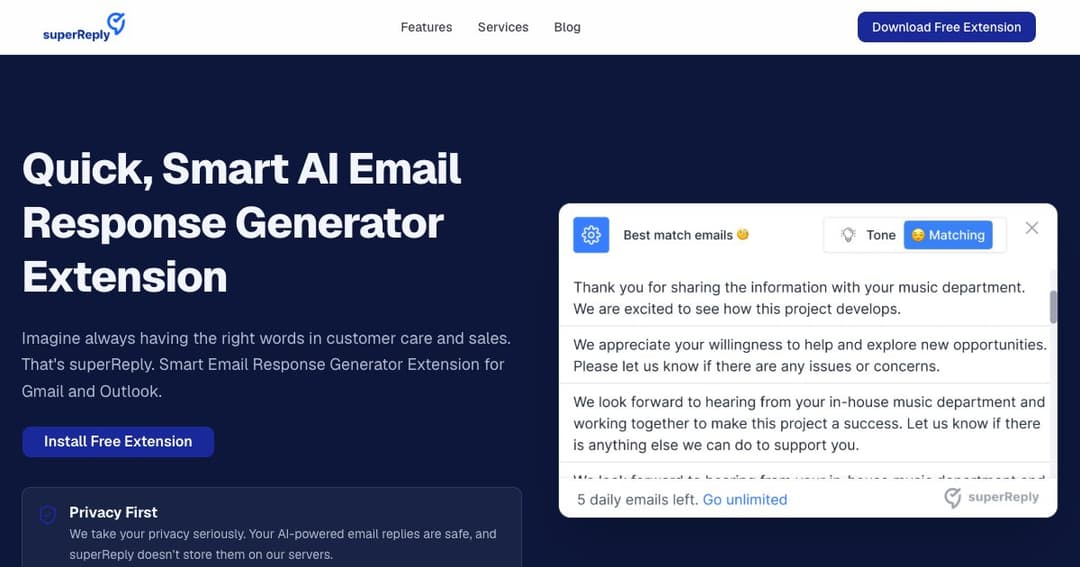
SuperReply is a smart email response generator that helps you reply faster and more effectively across Gmail, Outlook, and other platforms. Whether you're handling customer service, sales, or professional correspondence, SuperReply ensures your replies are clear, polished, and appropriate—without the stress of crafting every message from scratch.
With one click, SuperReply analyzes your email context and suggests multiple AI-crafted replies. Choose the best tone and message—whether you're being formal, casual, apologetic, or appreciative.
Adjust your message tone to match the situation—professional, friendly, or somewhere in between. SuperReply adapts to how you want to sound.
Stop wasting time on repetitive responses. SuperReply helps you handle more emails in less time with its intuitive Chrome and Outlook integrations.
Automate replies to common customer inquiries and ensure every response feels human, timely, and helpful.
Craft engaging, confident replies to prospects with messaging tailored to drive conversions and build trust.
Spend less time writing and more time working. SuperReply simplifies your client communication workflow without sacrificing professionalism.
SuperReply never stores your email data or replies on its servers. Your messages stay between you and your inbox.
All interactions are encrypted and processed securely, giving you peace of mind about sensitive information.
SuperReply only accesses threads you select, ensuring minimal exposure and maximum control.