Arcwise AI
AI-Powered Data Analysis Inside Google Sheets
SheetAI brings AI directly into Google Sheets. Use plain English to create tables, lists, images, and extract data instantly. No code needed—just install and start automating.
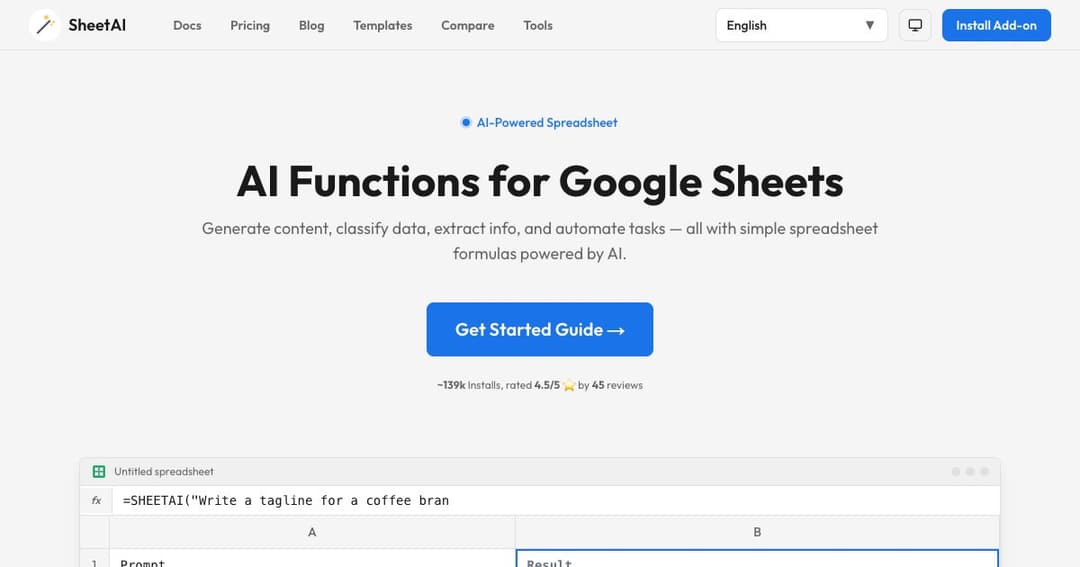
SheetAI transforms how users interact with Google Sheets by embedding powerful AI tools directly into the spreadsheet interface. Instead of writing formulas or scripts, you simply describe what you want in plain English. From generating lists to summarizing content, SheetAI interprets your input and returns structured, intelligent results right into your cells.
With over 139,000 installs and a 4.5-star rating, SheetAI is used by professionals, educators, and teams at top organizations including Google, Hubspot, and Netflix. It’s a proven solution for anyone looking to boost productivity within the Google Sheets environment.
Installing SheetAI is as easy as adding it from the Google Workspace Marketplace. Once installed, launch it via the Extensions menu in any Google Sheet. With just a few clicks, your spreadsheet gains AI-enhanced capabilities.
SheetAI eliminates the need to write code or formulas. Instead, you can use plain English to ask questions, generate content, and manipulate data. Whether you're organizing product details or extracting insights, the AI understands context and delivers results instantly.
SheetAI comes with a suite of custom functions built for real-time interaction in Google Sheets:
From auto-filling cells to generating product descriptions or summarizing datasets, SheetAI understands your intent. It enhances productivity by learning from the context of your spreadsheet, reducing manual work and human error.
Generate compelling product descriptions, create targeted lists, and extract lead information directly in your sheets. SheetAI simplifies repetitive marketing tasks by handling them intelligently and at scale.
Standardize formatting, extract specific data points, and fill in missing fields with AI support. SheetAI is ideal for those dealing with large or messy datasets, providing consistent and accurate results with minimal effort.
Unlike third-party tools that require exporting data, SheetAI lives inside your Google Sheets. There’s no switching apps or learning new platforms—just enhanced functionality within the environment you already use.
SheetAI connects with leading AI engines like OpenAI and Gemmini, bringing their capabilities directly into your spreadsheets. Whether you're using GPT-style completions or fine-tuned models, it’s all accessible from one place.
You don’t need programming skills to use SheetAI. Its intuitive setup and natural language inputs make it accessible for business professionals, educators, and students alike.
The «Brain» feature gives SheetAI the ability to remember specific context or datasets, so it can respond more accurately over time. This makes it perfect for recurring workflows and business-specific needs.