ElevenLabs
AI Voice Generator for Speech, Dubbing and Voice Agents
Free
Speechify reads PDFs, documents and web pages aloud with 1,000+ voices, and its Studio generates voiceovers and dubbing. Two separate subscriptions — real pricing explained.
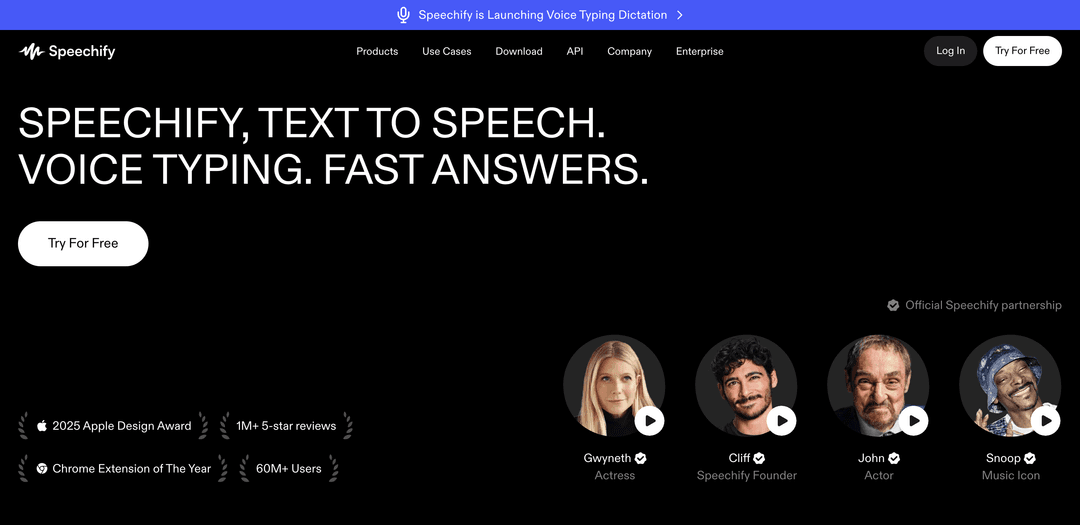
Speechify started as a tool for listening to text rather than reading it, built by a founder with dyslexia, and that origin still explains the product better than any feature list. It turns documents, PDFs, web pages, emails and scanned photos into audio you can play at speed — commuting, walking, or simply because listening is easier than reading.
It has since grown a second half aimed at creators: generating voiceovers, dubbing video and cloning voices. Those two halves are sold separately, which is the single most common source of confusion when people compare prices — so it is worth settling before anything else.
Speechify Premium and Speechify Studio are different products with different subscriptions. Paying for one does not give you the other. If you have read conflicting prices for Speechify, this is almost always why.
| Speechify Premium | Speechify Studio | |
|---|---|---|
| Purpose | Listening to your own documents | Producing audio for other people |
| Typical user | Students, professionals, accessibility | Creators, marketers, video teams |
| Core features | Read-aloud, speed control, scanning | Voiceovers, dubbing, voice cloning |
| Metering | Unlimited listening | Credits |
| Entry price | $29/month | $19/month |
The short rule: if you want to consume text, you want Premium. If you want to produce audio for an audience, you want Studio. A minority of people genuinely need both, and they pay for both.
Import a PDF, paste text, open a web page through the browser extension, or photograph a physical page with the phone app and have it read aloud. The scanning route is what makes it useful for printed material — textbooks, letters, anything not already digital.
Premium allows playback up to 5x, and regular users climb well past normal speaking pace over time. This is where the productivity claim comes from: not that listening is inherently faster than reading, but that trained listening at 3-4x covers ground quickly while your eyes and hands are busy. The free tier caps at 1,5x, which is deliberately below the point where the habit becomes worthwhile.
The strongest and least hyped case. For dyslexia, ADHD, visual impairment or simply fatigue, hearing text removes a barrier rather than adding convenience. Schools use it for reading comprehension support, and it is one of the few AI tools where the accessibility framing is the original purpose rather than marketing added later.
Premium bundles AI summaries and chat over your documents, voice typing for dictation, cloud storage integrations for Google Drive, Dropbox and OneDrive, and turning documents into podcast-style audio. Useful additions, though none of them is the reason to subscribe.
Studio generates narration from scripts and dubs existing video into other languages, with a voice changer for reshaping recorded audio. It is aimed at people producing content — course videos, ads, social clips — rather than at listening.
Create a digital copy of a voice for repeated use. Note that cloning is not available on the free Studio tier; it starts with Studio Starter. As with any voice cloning, using someone else's voice requires their consent — the subscription grants the feature, not the right.
Studio is metered in credits: 600 on the free tier, 7,200 on Starter and 28,800 on Creator each month. The reader side is not metered this way — Premium is unlimited listening — which is another reason the two products confuse people who assume one pricing model covers both.
Speechify sells API access separately for developers embedding its voices into applications, priced on request. If you are building voice into a product rather than using an app, that is a third track with its own pricing conversation.
Reading volume is the job. Listening to papers at speed, scanning printed pages, and getting through material while doing something else.
The founding use case, and where it delivers most. Audio removes the decoding effort that makes long text exhausting.
Reports, contracts and long email threads consumed during a commute rather than at a desk.
Studio's territory: narration for videos and courses, dubbing into other languages, and a cloned voice for consistency across a catalogue.
Two products, two price lists. Both are more affordable annually than monthly — considerably so.
| Plan | Price | What You Get |
|---|---|---|
| Free | $0 | 10 robotic voices, speed capped at 1.5x |
| Premium | $29/month | 1,000+ natural voices, 60+ languages, 5x speed, scanning, AI summaries |
| Premium annual | ≈$11.58/month | Same features, around 60% cheaper than monthly |
| Plan | Monthly | Credits | Notable |
|---|---|---|---|
| Free | $0 | 600 | No voice cloning, no commercial rights |
| Starter | $19 | 7,200 | Voice cloning, commercial rights, stock assets |
| Creator | $49 | 28,800 | Everything in Starter, higher volume |
This is the detail worth acting on. Premium is $29 a month billed monthly, or roughly $11.58 a month billed annually — around 60% less for identical features. Studio runs a comparable annual discount. If you are confident you will use it beyond a month or two, monthly billing costs more than double for nothing extra; if you are unsure, monthly is the price of finding out.
The free reader gives you ten robotic voices and a 1,5x speed cap — enough to test the concept, deliberately short of the experience people actually pay for. Free Studio is more generous at 600 credits and the full voice library, but it excludes voice cloning and carries no commercial usage rights, so anything you publish or sell needs a paid tier.
They overlap on paper and answer different questions in practice. Speechify is built around consuming text — the reader, the mobile app, scanning, speed — with creation tools attached. ElevenLabs is built around producing audio, with deeper model control, lower latency options and an API-first posture.
If your problem is a reading pile, Speechify is the better tool and the comparison is not close. If your problem is publishing narration, dubbing a catalogue or building voice into a product, ElevenLabs is generally the stronger platform. Choosing Speechify Studio makes most sense when you already pay for the reader and your production needs are moderate.
There is a free tier for both products. The free reader offers ten robotic voices and a 1,5x speed limit; free Studio gives 600 credits but no voice cloning and no commercial usage rights. Both work for evaluation rather than real use.
Speechify Premium is $29 per month, or around $11.58 per month when billed annually. Speechify Studio is separate: free, $19 per month for Starter, or $49 per month for Creator.
No. They are separate products with separate subscriptions. Premium covers listening and reading; Studio covers voiceover, dubbing and voice cloning.
Over 1,000 voices across more than 60 languages on paid tiers. The free reader is limited to ten basic voices.
Yes. It handles PDFs, documents, web pages and email, and the mobile app can photograph printed pages and read them aloud.
Yes, from Studio Starter upward. Voice cloning is not included in the free Studio tier, and cloning anyone else's voice requires their consent.
It is one of its core purposes rather than an afterthought. Hearing text alongside or instead of reading it removes the decoding effort, which is why it is widely used in education and accessibility settings.
Speechify is the strongest option for turning a reading backlog into something you can listen to, and the accessibility case is genuine rather than repositioned marketing. Speed control and page scanning are what make it stick as a daily habit.
Go in knowing two things: the reader and the creator studio are separate purchases, and monthly billing costs roughly two and a half times the annual rate for exactly the same product. Decide which half you need, then pay annually if you intend to keep it.