Eye for AI
Create Stunning AI Images from Text
Create better MidJourney prompts with this free Prompt Generator. Adjust aspect ratio, stylization, chaos, and more to fine-tune your AI image results—no memory of parameters needed.
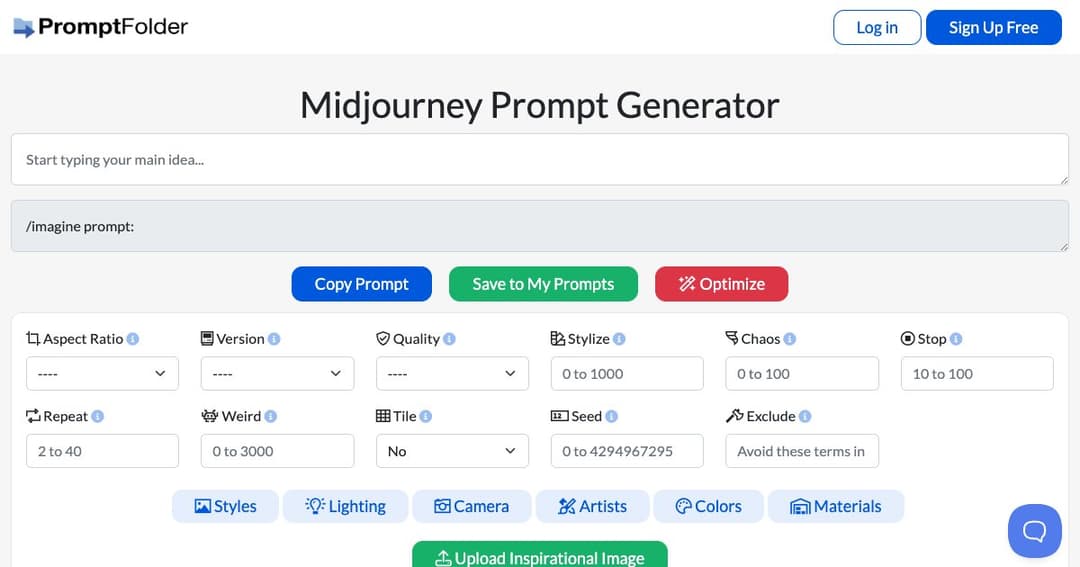
MidJourney Prompt Helper simplifies the process of creating detailed, optimized prompts for generating AI images with MidJourney. Instead of memorizing parameters like --chaos, --quality, or --stylize, users can intuitively adjust sliders and settings through a guided interface to fine-tune how MidJourney interprets their creative ideas.
Whether you're a beginner or a seasoned MidJourney user, this tool removes the guesswork from image prompt creation. It ensures your inputs are well-structured, helping you generate high-quality, visually consistent results every time.
Users begin by typing a core idea or theme into the prompt field. This forms the foundation of the MidJourney image generation prompt. From there, the tool enables advanced configuration using parameters that directly affect how the AI interprets your request.
You can modify technical inputs such as aspect ratio, chaos (variation), quality, stylization, and stop time. Each parameter is clearly explained, helping users make informed adjustments without needing to reference documentation.
Users can apply stylistic presets or use weightings to emphasize certain parts of a prompt. This allows for more control over image composition, ensuring the final result aligns with the desired visual tone.
MidJourney Prompt Helper also lets users exclude specific elements or repeat themes multiple times to reinforce style. This is ideal for eliminating unwanted imagery or ensuring visual consistency across similar outputs.
By streamlining prompt creation, the tool reduces trial-and-error in the MidJourney workflow. It helps you focus on creativity while eliminating technical hurdles that can slow down image generation.
Prompts can be saved to your PromptFolder account for future use or iteration. This makes it easy to revisit successful prompts, organize creative directions, or build prompt libraries for specific projects.
New users benefit from intuitive UI controls that guide them through MidJourney’s syntax and capabilities without needing in-depth knowledge of the platform.
Experienced users can speed up their workflow, explore parameter combinations quickly, and build precise, highly stylized prompts with minimal effort.
The MidJourney Prompt Helper is a web-based tool accessible from any browser. Just visit the site, type your idea, customize your parameters, and copy the finished prompt directly into MidJourney.
This tool is entirely free to use, making it a must-have resource for hobbyists, digital artists, marketers, and anyone experimenting with AI-powered image creation.