Calligrapher
A free browser tool that writes your text in convincing handwriting and exports it as vector SVG. Nine styles, three sliders, and a 50-character limit per run.
What Is Calligrapher.ai?
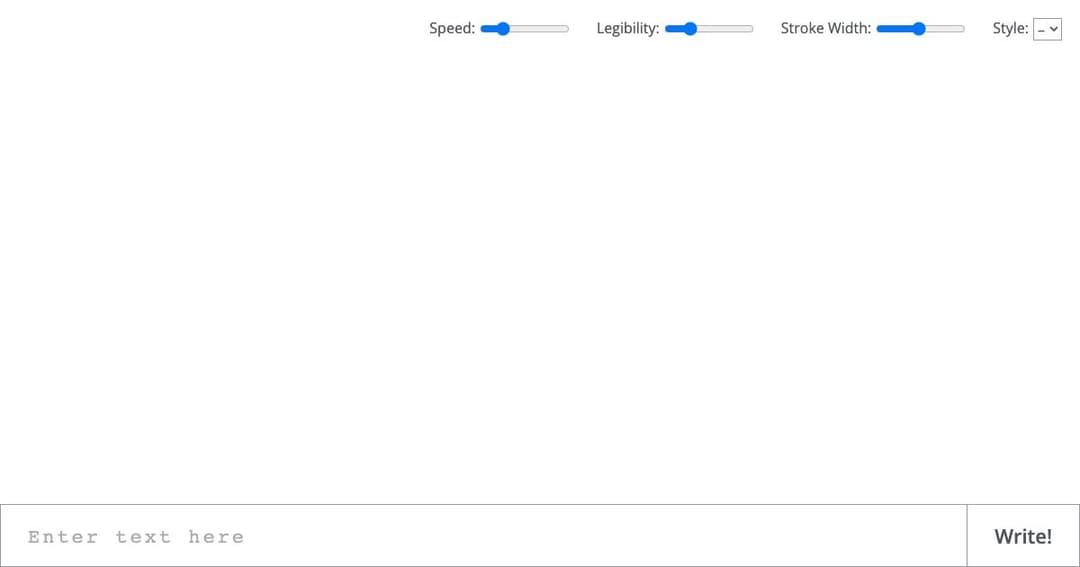
Calligrapher.ai turns typed text into handwriting that looks like a person wrote it. Type a line, choose a style, press Write, and the text appears stroke by stroke as if a pen were moving across the page. The result is a vector SVG rather than a picture of letters.
The distinction from a handwriting font is the entire point, and it is not cosmetic. A font draws the same letter identically every time — the giveaway that makes handwriting fonts look fake at a glance, because in real handwriting no two letters match. This generates each stroke from a model, so the same word written twice comes out differently, the way it would on paper.
The Limit to Know Before You Start
The input field accepts a maximum of 50 characters. Not 50 words — 50 characters, including spaces. That is roughly one short line.
This single number decides what the tool is for. A signature, a greeting, a quote, a label, a note in a mockup: yes. A paragraph, a letter, a page of text: no, not without generating it line by line and assembling the pieces yourself in a vector editor.
It is also why the tool is best understood as a research demo that happens to be useful, rather than a product. Nobody building a commercial handwriting service would ship a 50-character cap.
What the Three Sliders Actually Do
Legibility
The most interesting control and the least obvious. It does not sharpen the letters — it changes how much randomness the model is allowed. Turned up, output concentrates on the most probable strokes and the writing becomes neat and even. Turned down, the model wanders and you get the loose, scrawled hand of someone writing quickly.
In practice this is the realism dial. Perfectly legible handwriting reads as artificial, because real people are never that consistent. Backing it off slightly is usually what makes a sample convincing.
Stroke Width
Pen thickness, from a fine liner to a broad marker. It changes the character of the writing more than you would expect: the same words at maximum width read as a hand-lettered sign, and at minimum as a hurried note.
Speed
How fast the writing animates on screen. It affects the show rather than the result — worth turning up when you are iterating through options, and down when you want to watch the effect of a setting.
Style
Nine distinct hands plus the default, ranging from tidy print to slanted cursive. They come from different writers in the training data rather than being algorithmic variations, which is why they differ in character and not just in slant. Cycling through all nine on the same phrase takes under a minute and is the fastest way to find the one you want.
Saving the Result
A save control appears once a sample has finished drawing — it stays hidden until then, which is why people sometimes conclude there is no export at all. The output is SVG, so it scales to any size without blurring and every stroke stays editable as a path in Illustrator, Inkscape or Figma.
That vector output is what makes the tool genuinely useful rather than a novelty. You can recolour the ink, thicken individual strokes, warp a line to follow a curve, or drop the writing into a design at billboard size. A PNG of handwriting would be worth far less.
How It Works
The method comes from Alex Graves's 2013 paper on generating sequences with recurrent neural networks — the same line of research that produced early work on handwriting synthesis. Rather than treating handwriting as pictures of letters, the model predicts pen movements: a sequence of positions the pen passes through, which is exactly why the output is naturally a vector path.
The web implementation is the work of machine-learning researcher Sean Vasquez, trained largely on the IAM On-Line Handwriting Database — a research corpus of English handwriting samples. That training data is worth knowing about, because it defines the boundary: the model learned Latin script from English writers, and alphabets outside that are not something it was built for.
What People Use It For
Design Mockups
The most common use. A handwritten label on a packaging mockup, a signature on a certificate layout, a scribbled annotation on a presentation slide. Vector output drops straight into a design file at any size.
Personal Touches at Scale
A handwritten thank-you on a printed card, a name on a place setting, a short note in an email footer. The 50-character limit fits this use exactly, which is not a coincidence — short personal messages are what handwriting is for.
Teaching and Demonstration
Watching the legibility slider move a model between neat and scrawled is one of the clearest demonstrations of sampling temperature available, and it needs no code. It is a genuinely good teaching artefact for explaining how generative models trade probability for variety.
Lettering and Craft Work
SVG output feeds cutting machines and pen plotters directly, so a generated phrase can become vinyl lettering or a plotter-drawn card. This is where the vector format earns its keep most literally.
Where It Falls Short
- Fifty characters per run, spaces included — the hard ceiling on everything else.
- Trained on an English handwriting corpus, so Latin script is what it knows; other alphabets are outside its training data.
- Nine styles and no way to add your own — you cannot teach it your handwriting.
- No layout control: one line, no paragraphs, no alignment, no page.
- The save control is invisible until a sample finishes, which reads as a missing feature.
- It is a research demo with no company behind it — no support, no roadmap, and no guarantee it stays online.
- Output quality varies run to run, by design. Sometimes the answer is simply to press Write again.
A Word on Signatures
The obvious idea occurs to everyone: generate a signature. Worth stating plainly — a generated signature is not yours, and using one to sign documents in someone else's name is forgery regardless of the tool involved. For mockups and layouts where the name is fictional, it is exactly the right instrument.
Frequently Asked Questions
Is Calligrapher.ai free?
Yes, entirely. No account, no signup, no paid tier and no watermark on the output.
How much text can I generate at once?
Fifty characters including spaces — about one short line. Longer text has to be generated line by line and assembled in a vector editor.
Can I download the handwriting?
Yes, as SVG. The save control only appears once the sample has finished drawing, so if you look for it beforehand you will not find it.
Does it work with Cyrillic or other alphabets?
It was trained on an English handwriting database, so Latin script is what the model actually learned. Other alphabets are outside that training data.
Can I use my own handwriting?
No. You choose from nine styles taken from the training data; there is no way to upload samples or train it on your hand.
Why does the same text look different each time?
Because each stroke is sampled rather than looked up. That variation is the feature — it is what separates this from a handwriting font, and why the results pass as real.
The Bottom Line
Calligrapher.ai does one narrow thing better than the alternatives and gives it away: convincing handwriting, in vector form, in about ten seconds. For a designer needing a handwritten line in a mockup, nothing else is this fast or this free, and the SVG output means the result is a starting point rather than a flat image.
Come with the right expectations. Fifty characters is the whole canvas, the nine styles are the whole choice, and there is no company behind it to add more. Within those walls it is close to perfect; a step outside them and it simply is not the tool.