AutoRegex
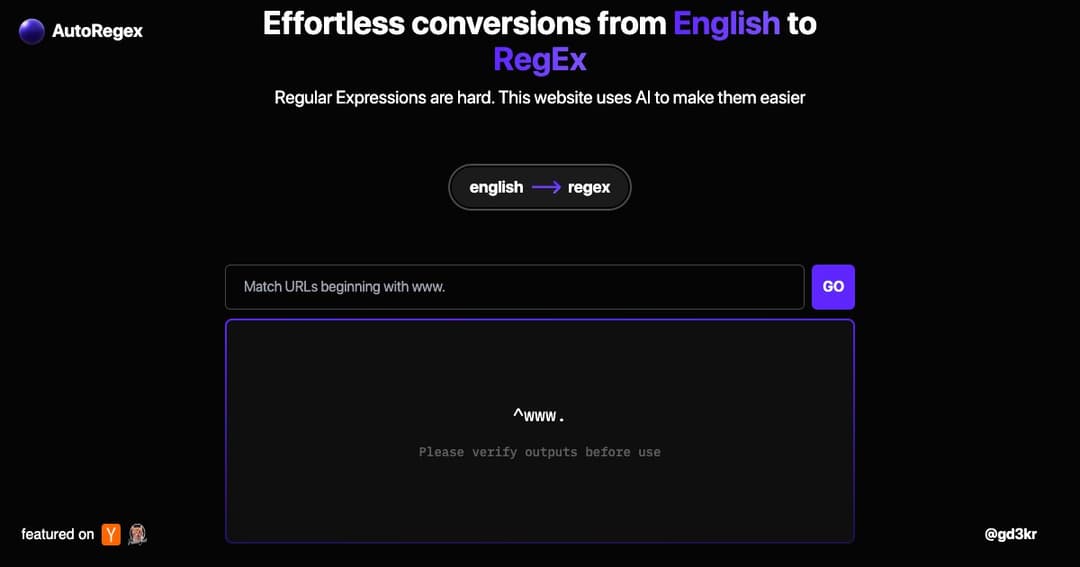
AutoRegex makes writing regular expressions easy. Just type in plain English and get accurate RegEx patterns generated with AI. Save time and avoid errors.
About AutoRegex
Simplify Regular Expression Writing
AutoRegex is a lightweight tool that helps you generate regular expressions by simply describing what you need in plain English. Whether you're a developer or just working with data, AutoRegex removes the complexity of manual pattern writing.
Powered by AI for Accuracy
Instead of memorizing RegEx syntax, you can describe your task—like «match a valid IP address» or «find all phone numbers”—and AutoRegex will generate the corresponding regular expression. It's fast, accurate, and easy to use.
How AutoRegex Works
Natural Language Input
Start by entering a plain English description of the pattern you want. For example, «match an email address» or «extract numbers from a string.» The tool uses AI to interpret your intent and convert it into a working RegEx pattern.
Instant Pattern Generation
Once you submit your query, AutoRegex returns a regular expression that matches your description. You can copy it directly or modify it for your specific use case. The tool is designed to deliver accurate results while giving you full control.
Use Cases for AutoRegex
For Developers and Analysts
AutoRegex is especially useful for developers, data analysts, and anyone who works with text processing. Instead of wrestling with syntax rules, you get to focus on what you want to achieve.
Learning and Validation Tool
It also serves as a learning aid. If you're trying to improve your understanding of RegEx, comparing your manual attempts with AutoRegex outputs can help you identify errors and learn correct patterns.
Key Features
Quick and Accessible
No installation or account needed. Just visit the site, enter your query, and get results. The tool works directly in your browser and is perfect for quick lookups and troubleshooting.
Supports Complex Patterns
From simple matches to more complex validations, AutoRegex can handle a wide range of requests. You can use it for matching emails, dates, phone numbers, custom keywords, and more.
Community Feedback Encouraged
While the tool is highly accurate, users are encouraged to verify outputs before use, especially for mission-critical implementations. This ensures patterns perform as intended in your specific context.