Turnitin
Academic Integrity and AI Detection Solutions
Meta's free research demo animates a drawn human figure in a few clicks, and the same method is open source under MIT. Non-commercial only, and blocked in two US states.
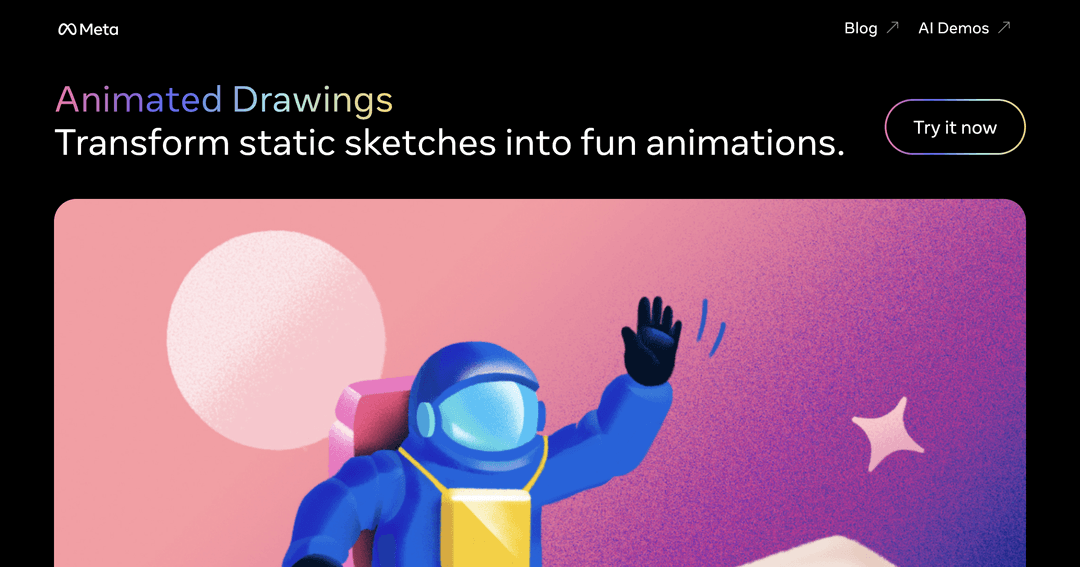
Animated Drawings takes a photo of a hand-drawn human figure and makes it move — walking, dancing, waving, jumping. It came out of Meta's FAIR research lab, and the thing it does well is narrow and specific: a child draws a person, you photograph the paper, and a minute later that exact drawing is animated, wonky proportions and all.
The reason it works at all is a research result rather than a product feature. Children's drawings break every assumption a normal pose estimator makes: arms longer than legs, heads half the body, limbs at impossible angles. The team behind it published their method in ACM Transactions on Graphics in 2023 and trained on a dataset of amateur drawings specifically so the system would not try to correct those proportions into something anatomically sensible.
This trips people up constantly. «Animated Drawings» is both a click-and-go web demo and a full open-source Python library, and they are not the same product with different packaging — they have different capabilities and, more importantly, different rules about what you may do with the output.
| The web demo | The open-source library | |
|---|---|---|
| Where | sketch.metademolab.com | GitHub: facebookresearch/AnimatedDrawings |
| Setup | None — browser only | Python 3.8.13, conda, Docker for auto-annotation |
| Commercial use | Explicitly not permitted | MIT licence |
| Motions available | A preset set | Any BVH motion capture file |
| Output | Animation in the browser | MP4, transparent GIF, interactive window |
| Characters | Human figures | Custom skeletons, including quadrupeds |
If you want to show a child their drawing dancing, use the demo. If you want output you can put in a video, a game or a client project, you need the library — the demo's terms rule that out regardless of how the result looks.
Before the demo opens, it presents terms that are worth reading rather than clicking past, because two of them are unusually restrictive for a free tool.
The state exclusion surprises people, but it follows a familiar pattern: Illinois and Texas both have strict biometric privacy laws, and companies routinely geofence features that analyse images of people rather than argue about whether a drawing counts. If you are in either state, the open-source library is your route in — it carries no such restriction.
The flow is short and deliberately forgiving. You upload a photo of a drawing, the system finds the figure and proposes an outline and a skeleton, and you correct anything it got wrong before choosing a motion.
That correction step is the one that decides whether the result looks good, and it is the step most people rush. If the joint markers do not sit roughly where the shoulders, elbows, hips and knees are meant to be, the animation will pull the drawing apart in odd ways. Thirty seconds of adjustment is the difference between a delighted child and a confusing mess.
Drawings that fail these conditions still produce something, just something worse. A figure holding a balloon will usually animate with the balloon welded to its hand — which children tend to find funnier than the correct result.
Released under the MIT licence, the library is the same method without the demo's guardrails, and it is considerably more capable than the web version suggests.
Animation is driven by BVH motion capture files, so you are not limited to a handful of presets — any BVH you own or download can be retargeted onto a drawing, provided you supply the matching config. Characters, motions, scenes and rendering are all described in YAML, which means a batch of drawings can be processed without touching the interface at all. That is the setup a classroom or a studio actually wants.
It renders to MP4, to transparent GIF for compositing over other footage, or to an interactive window, and it supports headless rendering on a server with no display attached. Non-humanoid skeletons — quadrupeds, figures with extra limbs — work through custom configuration, which the demo cannot do at all.
The cost is setup. It expects Python 3.8.13 in a conda environment, and automatic annotation runs through Docker. The tested platforms are macOS Ventura and Ubuntu 18.04, which tells you how long the project has been stable — this is research code that works, not a maintained product with a release cadence.
The obvious audience and the one it was built for. A child sees their own drawing — not a polished cartoon version of it — get up and dance, which lands very differently from a filter. Costs nothing, needs no account, and takes about two minutes end to end.
Through the library, a rough character sheet can be tested against real motion capture before anyone commits to rigging. Not a production pipeline, but a fast way to see whether a design reads in movement.
MIT licence, published paper, released datasets and working code make this a rare complete package. If you are building anything that has to interpret drawings rather than photographs, this is a reference implementation worth reading.
Nothing, in both forms. The demo is free and requires no account; the library is free under the MIT licence. There is no paid tier, no credits and no upgrade path, because it is a research release rather than a business. What you pay instead is the commercial-use restriction on the demo and the setup time on the library.
Yes. The web demo is free with no account, and the open-source library is MIT licensed. Neither has a paid tier.
Not from the web demo — its terms prohibit commercial use outright. The open-source library is MIT licensed, which does permit it. If money is involved anywhere in the project, use the library.
If you are in Illinois or Texas, the demo is closed to you by policy. Otherwise the usual causes are an unaccepted terms dialogue or a browser blocking the site's cookies.
The demo expects a human figure — head, torso, two arms, two legs — and results degrade quickly outside that. The library supports non-humanoid skeletons, including quadrupeds, but you have to write the configuration yourself.
In the library, yes: any BVH motion capture file works with a matching motion and retarget config. The demo is limited to its built-in set.
The demo processes images on Meta's servers under its terms and privacy policy, so yes, the photo leaves your device. The library runs entirely on your own machine, which is the better option if that matters to you.
Animated Drawings does one small thing better than anything else available, and gives it away. For a parent or a teacher it is close to perfect: free, instant, no account, and genuinely delightful in a way most AI toys are not, because it animates the child's actual drawing rather than replacing it.
Go in knowing the limits. The demo is non-commercial and unavailable in two US states, the animation is flat cut-out movement rather than real 3D, and the project has sat unchanged for long enough that its future is not guaranteed. If any of that blocks you, the MIT-licensed library removes every restriction except your patience with Python 3.8.