Arcwise
анализ данных с помощью искусственного интеллекта в Google Таблицах
Arcwise превращает Google Таблицы в мощный инструмент для анализа данных с помощью искусственного интеллекта. Мгновенно исследуйте, анализируйте и визуализируйте бизнес-данные с помощью управляемых вами контекстных моделей искусственного интеллекта.
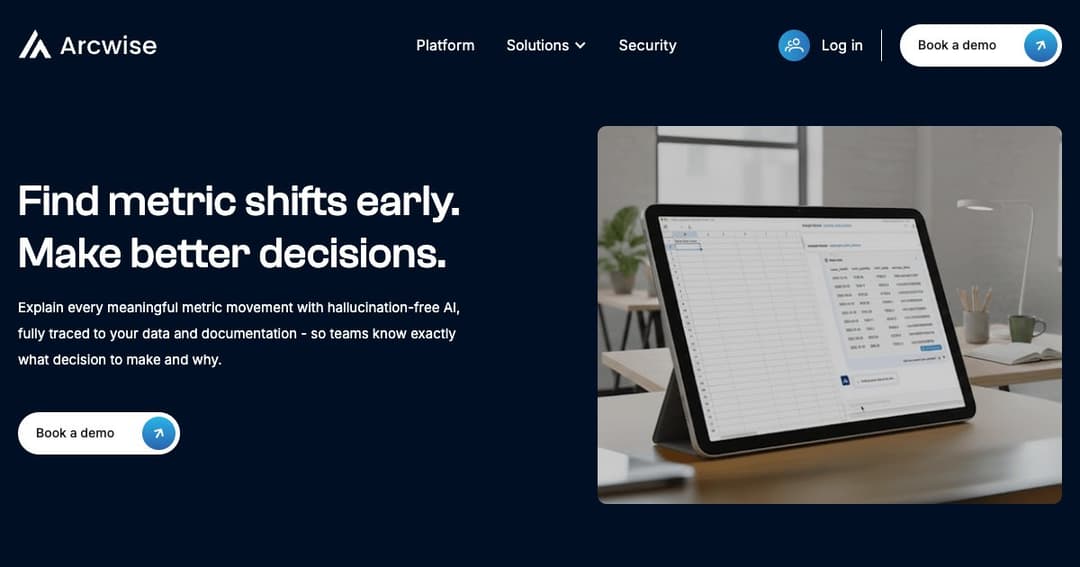
Arcwise — это инструмент искусственного интеллекта нового поколения, который легко интегрируется в ваши текущие рабочие процессы Google Таблиц. Вместо того, чтобы переключаться между электронными таблицами, панелями мониторинга и платформами бизнес-аналитики, Arcwise объединяет все аналитические данные в одном месте — вашей электронной таблице. Это как будто аналитик данных, встроенный прямо в вашу таблицу.
В отличие от стандартных инструментов искусственного интеллекта, Arcwise адаптируется к вашему бизнес-контексту. Вы можете настроить собственную модель или доверить Arcwise создание модели на основе ваших данных. Это гарантирует, что все ответы, анализы и рекомендации будут соответствовать уникальным показателям, терминологии и целям вашей организации.
Arcwise подключается к вашему хранилищу данных (например, Snowflake, BigQuery или Databricks) и интегрируется с инструментами бизнес-аналитики. После подключения вы сможете задавать вопросы, выполнять анализ и просматривать целые панели мониторинга, не выходя из электронной таблицы.
Введите вопрос, например: «Что стало причиной падения выручки в прошлом квартале?», и получите подкрепленное данными объяснение, анализ тенденций и даже визуальные материалы, которые будут автоматически сгенерированы в вашей таблице.
Каждый результат, полученный с помощью ИИ, сопровождается понятными визуальными эффектами — диаграммами, графиками и тепловыми картами, — что позволяет легко выявлять тенденции и аномалии без необходимости использования отдельного инструмента аналитики.
Обнаружили проблемы в данных? Arcwise позволяет вам детально изучить результаты, выявить первопричины и исправить точки данных в источнике — и всё это прямо в вашей среде электронных таблиц.
Создайте собственную большую языковую модель или обучите свою собственную с помощью инструментов тонкой настройки Arcwise. Независимо от того, создаёте ли вы новые модели или оптимизируете существующие, вы сохраните контроль над возможностями своего ИИ.
Arcwise позволяет членам команды напрямую оставлять отзывы о результатах работы ИИ, которые затем можно использовать для совершенствования модели с целью повышения ее точности и получения более релевантной информации с течением времени.
Начните с связывания источников данных — Arcwise поддерживает популярные облачные платформы данных, такие как Snowflake, BigQuery и Databricks.
Благодаря легкому расширению Chrome Arcwise интегрируется непосредственно в Google Таблицы, предоставляя вам привычный интерфейс с улучшениями на базе искусственного интеллекта.
После настройки вы сможете использовать естественный язык для исследования данных. ИИ преобразует ваши вопросы в SQL-запросы и мгновенно создаёт таблицы, диаграммы и сводки.